Try the Trauma Registry & PI Flex Platform Before You Commit
See exactly how NQS works in your real-world workflow before you purchase. Get access to your own sandbox environment to truly evaluate the registry and integrated PI Flex before making a decision.
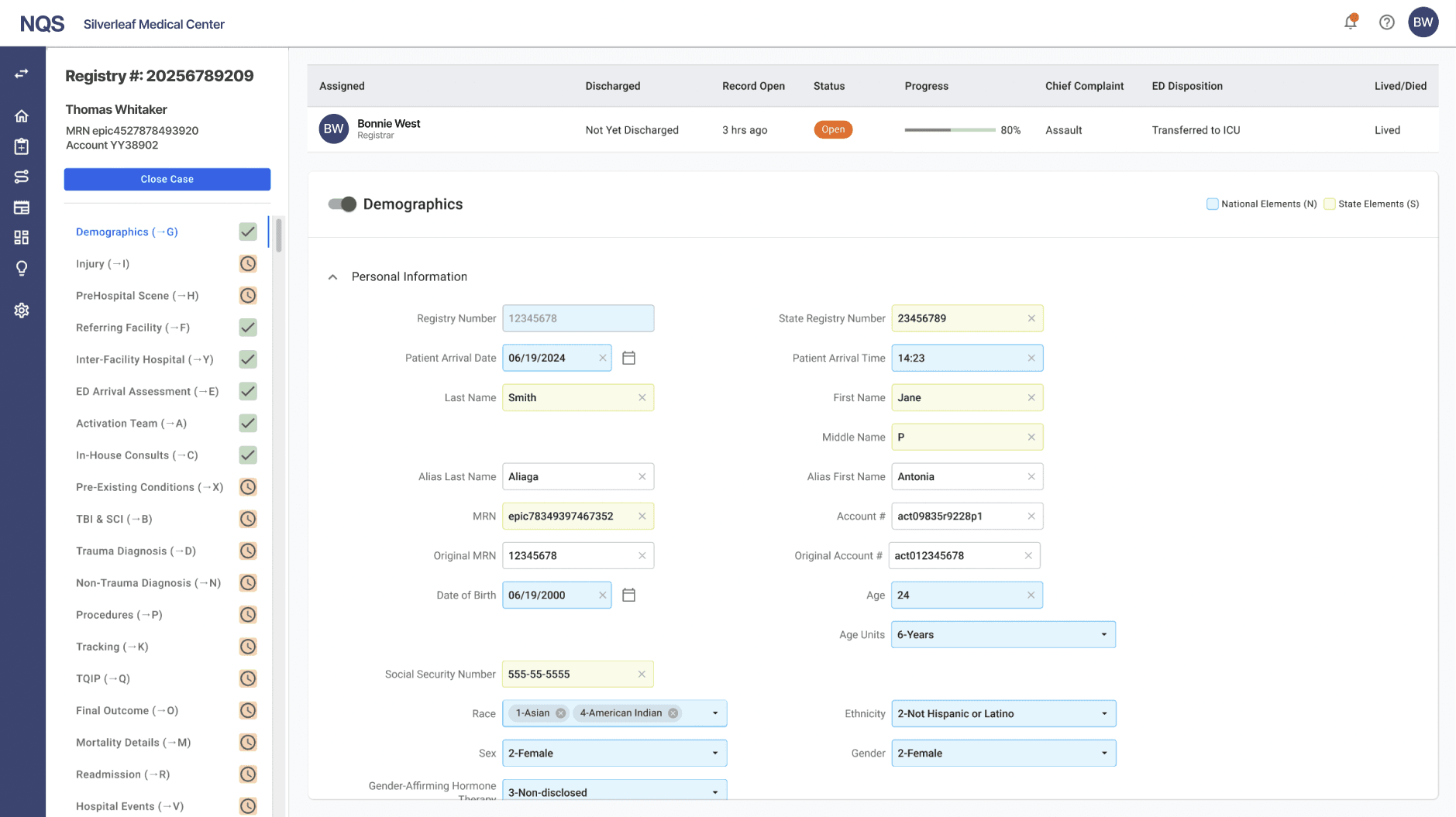
Your Sandbox
Your own sandbox instance of trauma registry and PI Flex
After a brief demo, your team receives hands-on access to a dedicated NQS sandbox so you can explore the platform on your own terms.
Data Elements
Access to 800+ data elements including NTDB and state-required fields
Review and interact with the full data model, including NTDB state-specific and best practice elements. The official NQS product offers data element customizations.
Alcohol Use at Injury - BAC result category
NTDBStateBest practice
Picklist options
Not tested1
Negative2
Positive below legal limit3
Positive at or above legal limit4
Registry Cases
Ability to enter and validate a trauma case through closure
Enter a real-world sample case, validate data, and follow the workflow all the way through completion to see how it performs in practice.
Case Validation Workflow
1
Start sample case intake
2
Enter injury and encounter data
3
Run validation checks
4
Complete registry case closure
PI Flex
Ability to document and close a PI case inside the platform
Test the integrated PI Flex workflow by documenting, tracking, and formally closing a PI case within the same system.
Integrated PI Flex Tracker
Case status: ClosedDocument PI opportunity
Step 1Assign owner and due date
Step 2Track follow-up actions
Step 3Close case with final outcome
Step 4